How to Set Up Home Theater With the Right Audio, Video, and Room Configuration
How to set up home theater requires careful planning of the room, display system, audio equipment, seating arrangement, and connection methods. A properly designed home theater combines immersive visuals, balanced sound, comfortable viewing positions, and reliable technology integration.
Plan the Home Theater Room Layout
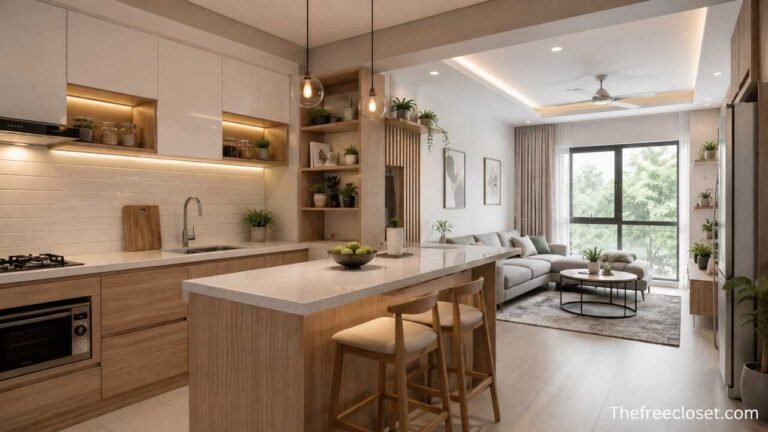
The first step in setting up a home theater is creating a room plan that supports good viewing angles, sound distribution, and comfortable movement. The room size, wall placement, lighting conditions, and seating position determine which equipment will perform best.
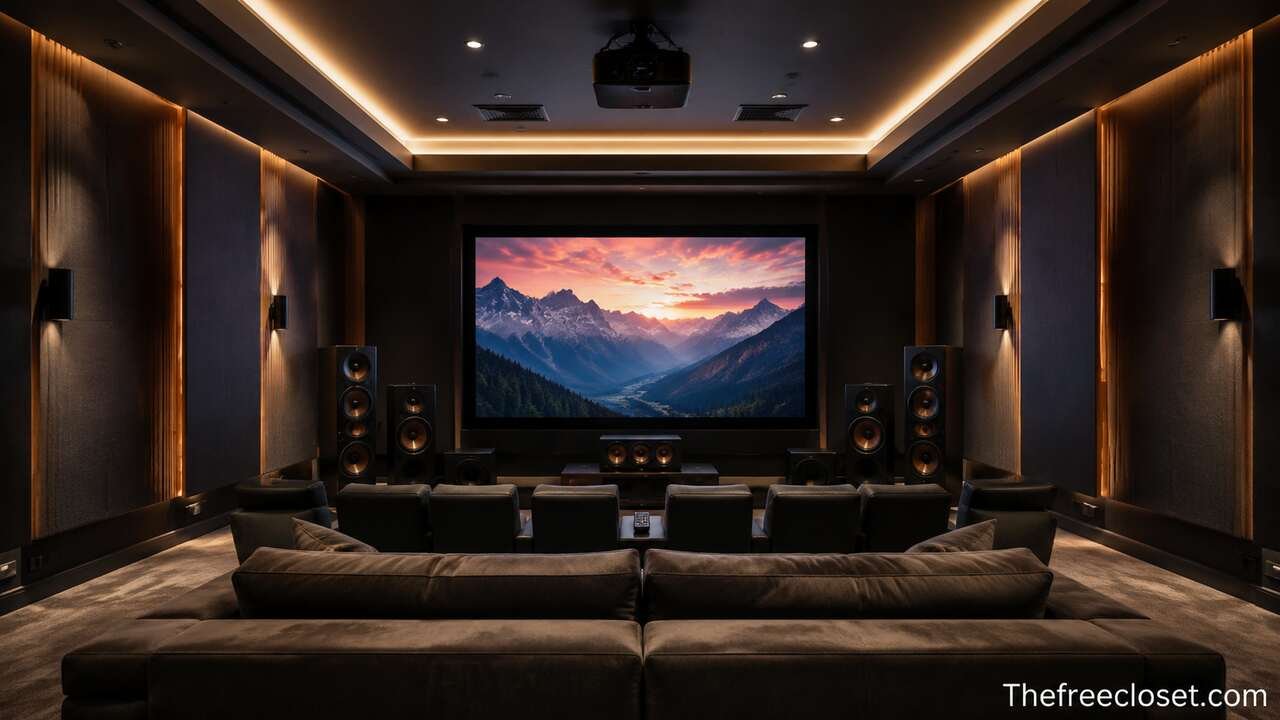
A successful layout considers several important elements, including the display location, speaker placement, seating distance, acoustic treatment, and power availability. The primary viewing position should face the screen directly, while speakers should surround the audience rather than sit randomly around the room. A dedicated home theater room usually provides better control, but a living room setup can also deliver excellent results with proper planning.
The room environment affects every component of the system. Large open spaces may require stronger speakers, while smaller rooms may benefit from compact audio systems. Natural light from windows can reduce projector performance, and reflective surfaces such as glass or bare walls can create unwanted sound echoes. Planning these factors before purchasing equipment prevents expensive changes later.
| Room Type | Recommended Setup | Important Considerations |
| Dedicated theater room | Projector or large display with surround sound | Acoustic treatment, dark walls, dedicated wiring |
| Living room theater | Smart TV with soundbar or receiver system | Furniture placement, cable management |
| Small media room | OLED/QLED display with compact speakers | Space efficiency and balanced sound |
| Gaming theater | High-refresh display with immersive audio | Input lag, HDMI compatibility |
Choose the Right Home Theater Display System
Selecting the correct display system determines the visual quality of the home theater experience. The main options include televisions, projectors, and projection screens, with each solution offering different benefits depending on the room and viewing goals.
Modern home theaters commonly use large-screen televisions such as OLED, QLED, and Mini LED models because they provide strong brightness, accurate colors, and easy installation. OLED displays produce deep blacks and high contrast, while QLED and Mini LED televisions often deliver higher brightness for rooms with ambient light. Projector systems create a cinema-like experience by producing extremely large images, but they require proper screen selection and controlled lighting.
Important display factors include screen size, resolution, refresh rate, HDR support, and viewing distance. A 4K Ultra HD display is currently the standard choice for detailed images, while HDR technologies improve brightness and color range. Gamers should also consider HDMI 2.1 support and low input latency.
| Display Option | Advantages | Best Use Case |
| OLED TV | Excellent contrast and black levels | Movies and premium viewing |
| QLED/Mini LED TV | High brightness and vivid colors | Bright living rooms |
| 4K Projector | Large cinematic image | Dedicated theater rooms |
| Short-throw projector | Large image with limited space | Small media areas |
Select the Home Theater Audio System
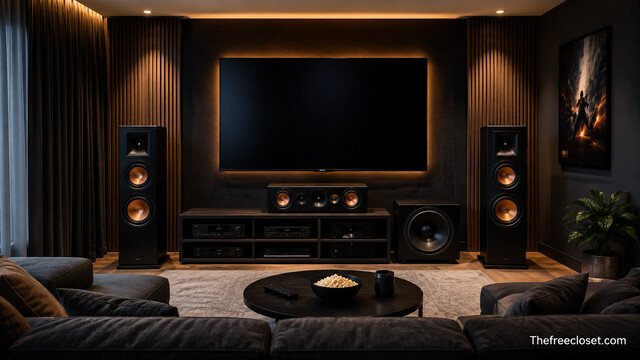
The audio system creates the immersive experience that separates a home theater from a standard television setup. Choosing between a soundbar, AV receiver system, or complete surround sound package depends on performance expectations, room size, and budget.
A basic home theater may use a soundbar with a wireless subwoofer, while advanced systems typically include an AV receiver connected to multiple speakers. Surround sound formats such as Dolby Atmos and DTS:X add height effects that create three-dimensional audio. These systems use multiple speakers positioned around the listener to reproduce movie soundtracks more realistically.
A complete surround system includes several components. The center speaker handles dialogue, front left and right speakers create the main soundstage, surround speakers provide directional effects, and the subwoofer delivers low-frequency impact. Dolby Atmos setups may include ceiling speakers or upward-firing modules to produce overhead sounds.
Common audio configurations include:
| Audio Configuration | Speaker Components | Experience Level |
| 2.1 System | Two speakers and subwoofer | Basic stereo improvement |
| 5.1 Surround | Front, center, surround speakers, subwoofer | Traditional home theater |
| 7.1 Surround | Additional rear speakers | Larger rooms |
| 5.1.2 Dolby Atmos | Surround speakers plus height channels | Immersive cinema sound |
Install the Home Theater Receiver and Connection Equipment
Connecting the equipment correctly allows the entire system to communicate efficiently. The AV receiver acts as the central control unit by processing audio signals, switching video sources, and powering speakers.
The receiver connects devices such as Blu-ray players, gaming consoles, streaming devices, cable boxes, and media computers. HDMI connections provide the highest-quality transmission because they support modern video formats and advanced audio technologies. Users should check HDMI versions to ensure compatibility with features such as 4K resolution, HDR, variable refresh rates, and high-frame-rate gaming.
Cable organization also plays an important role in long-term reliability. Labeling cables, using cable channels, and placing equipment in ventilated areas prevents overheating and makes future upgrades easier. Wireless technologies can reduce cable clutter, but wired connections often provide greater stability for speakers and network devices.
Position the Speakers for Balanced Sound
Speaker placement directly affects the quality of the home theater audio experience. Even expensive speakers can perform poorly when positioned incorrectly.
The center speaker should be placed near the display because it produces most dialogue. Front left and right speakers should create a wide soundstage, while surround speakers should sit beside or behind the seating area. The subwoofer placement requires experimentation because low frequencies interact strongly with room boundaries.
Speaker calibration tools included in many AV receivers automatically measure room acoustics and adjust volume levels, delays, and equalization settings. Manual adjustments can further improve performance by matching speaker output with the room characteristics.
Key placement guidelines include:
- Keep the center speaker aligned with ear level.
- Angle front speakers toward the main seating position.
- Place surround speakers slightly above ear height.
- Avoid placing speakers inside enclosed furniture.
- Test multiple subwoofer positions for smoother bass.
Install and Configure Home Theater Lighting
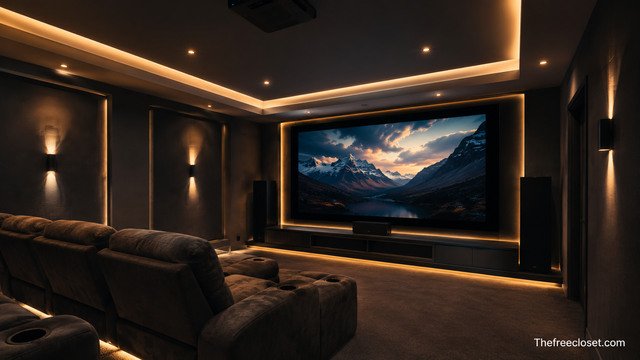
Lighting design improves both comfort and image quality. A home theater should provide enough visibility for movement while preventing reflections that reduce screen performance.
Dedicated theater rooms often use dimmable lights, wall sconces, LED strips, and automated controls. Smart lighting systems allow users to adjust brightness using remote controls or voice assistants. Blackout curtains are especially useful for projector-based systems because they eliminate external light interference.
The lighting arrangement should avoid placing bright sources behind viewers or directly opposite the screen. Reflected light can reduce contrast and make images appear washed out. Low-level pathway lighting improves safety without distracting from the movie experience.
Improve Sound Quality With Acoustic Treatment
Acoustic treatment controls unwanted reflections and improves audio clarity. A room without treatment may create echoes, uneven bass, and unclear dialogue.
Common acoustic improvements include wall panels, bass traps, carpets, curtains, and specialized ceiling treatments. Soft materials absorb excessive reflections, while carefully placed acoustic panels maintain balanced sound. The goal is not to completely eliminate reflections but to control them.
Room acoustics depend on wall materials, furniture, room dimensions, and speaker output. A large room with hard surfaces usually requires more treatment than a carpeted room with fabric furniture. Professional calibration services can measure acoustic problems and recommend targeted solutions.
Connect Streaming Devices and Smart Home Features
Modern home theaters rely heavily on streaming platforms, smart devices, and network connections. A reliable internet connection ensures smooth playback of high-resolution content.
Streaming devices connect through HDMI and provide access to movies, television shows, music, and gaming services. Many modern televisions include built-in streaming platforms, but external devices may offer better performance and wider application support.
Smart home integration allows users to control multiple systems together. Voice assistants, universal remotes, and automation platforms can manage lighting, temperature, audio volume, and display settings. These features create a convenient theater experience with minimal manual adjustments.
Calibrate the Home Theater System
Calibration ensures that every component works together correctly. After installation, users should adjust display settings, speaker levels, and audio processing options.
Display calibration involves adjusting brightness, contrast, color temperature, and picture modes. Many televisions include cinema or filmmaker modes designed for accurate movie playback. Advanced users may use calibration tools to achieve professional-level results.
Audio calibration balances speaker volume, timing, and frequency response. Most AV receivers include automatic microphone-based systems that analyze the room and create optimized settings. Regular calibration may be needed after moving furniture or changing speaker positions.
Maintain and Upgrade the Home Theater Equipment
Maintaining the system protects the investment and extends equipment life. Regular cleaning, software updates, cable checks, and ventilation management help prevent performance problems.
Technology changes quickly, so upgrades should focus on meaningful improvements rather than replacing equipment unnecessarily. Common upgrades include adding Dolby Atmos speakers, increasing screen size, improving streaming hardware, or upgrading outdated HDMI connections.
A well-maintained home theater can remain functional for many years while adapting to new entertainment formats. Planning upgrade paths during the initial installation makes future improvements easier and more affordable.
Understand Essential Home Theater Components
A complete home theater includes several connected systems that work together to create an immersive entertainment environment. Each component contributes to performance, convenience, and reliability.
The main components include:
| Component | Function | Examples |
| Display device | Produces video image | TV, projector, projection screen |
| AV receiver | Processes signals and powers speakers | Surround receiver |
| Speakers | Produce immersive sound | Bookshelf, floor-standing, ceiling speakers |
| Subwoofer | Creates deep bass effects | Powered subwoofer |
| Media source | Provides entertainment content | Streaming device, console, Blu-ray player |
| Control system | Manages equipment | Remote, smart assistant |
Understanding these components helps homeowners choose equipment that matches their goals. A premium system is not always necessary because proper placement and configuration often create larger improvements than expensive upgrades.
Conclusion
Setting up a home theater involves more than purchasing a large television and speakers. A successful installation combines thoughtful room planning, appropriate equipment selection, accurate speaker placement, proper connections, and careful calibration. By following each setup stage, homeowners can create an immersive entertainment environment that delivers cinematic visuals, powerful sound, and long-term value. A properly designed home theater transforms everyday media consumption into a more engaging and enjoyable experience.
Discover the latest fashion trends, home ideas, travel tips, and lifestyle inspiration at thefreecloset.com.
FAQ’s
A home theater can be created in almost any room size. Small rooms work well with compact speaker systems and televisions, while larger rooms provide more flexibility for projectors and surround sound layouts.
A TV is usually better for bright rooms and everyday use, while a projector provides a larger cinematic image in controlled lighting conditions. The best choice depends on room design and viewing preferences.
A basic system can use two speakers and a subwoofer, while a traditional surround setup uses five speakers and a subwoofer. Advanced Dolby Atmos systems add additional height speakers.
An AV receiver is recommended for advanced surround sound systems because it manages audio processing, speaker power, and device connections. Soundbars and simpler systems may not require one.
Improving speaker placement, adding acoustic treatment, calibrating the receiver, and positioning the subwoofer correctly can significantly enhance sound quality.
Yes. Many homeowners create effective living room theaters by selecting suitable equipment, managing cables, controlling lighting, and positioning speakers correctly.