
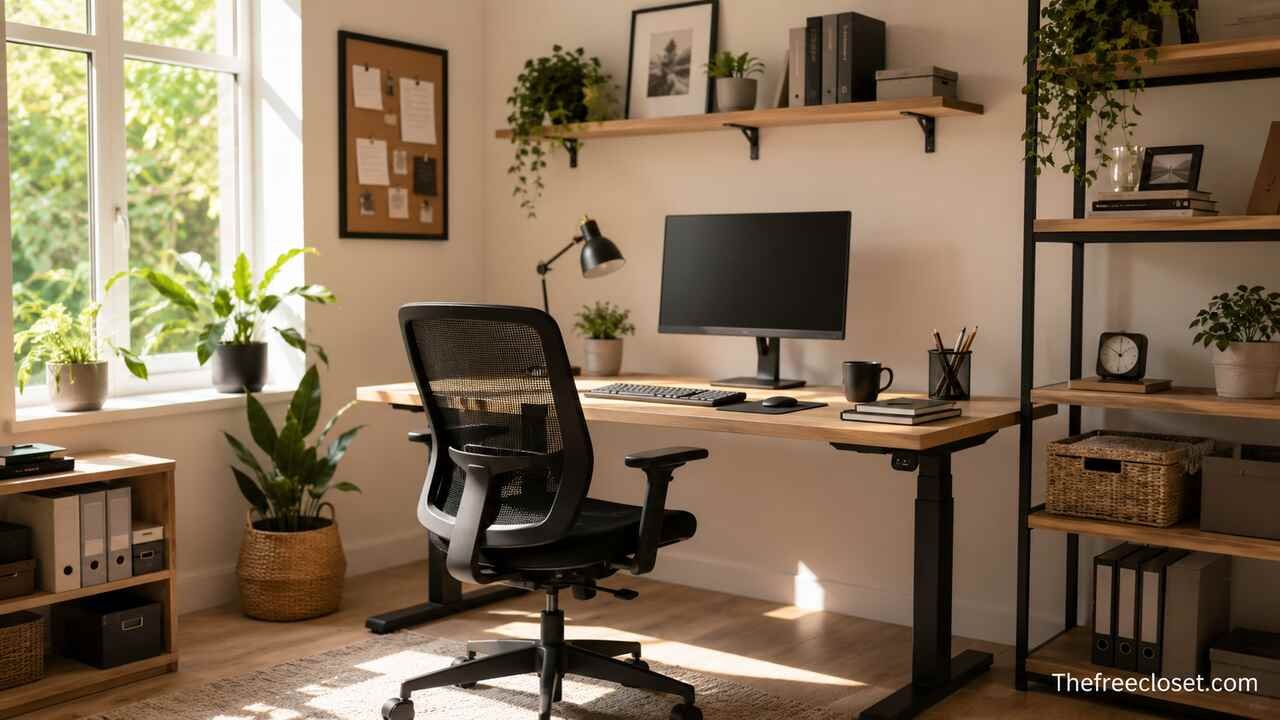
How to Set Up a Home Office: The Complete Guide to Creating a Productive and Comfortable Workspace
Setting up a home office is one of the most effective ways to improve productivity, maintain focus, and create a healthier work routine. Whether you work remotely full-time, operate a business from home, study online, or need a dedicated space for occasional tasks, a well-designed workspace helps you perform better while reducing stress and physical discomfort.
Choose the Best Location for Your Home Office
The first step is selecting a location that minimizes distractions and supports concentration. Ideally, choose a separate room with a door to reduce interruptions during meetings or focused work. If a dedicated room is unavailable, identify a quiet corner of your living room, bedroom, or another underused area.
Privacy is equally important. A workspace away from televisions, busy walkways, and household activity makes it easier to stay productive throughout the day. If you frequently attend video conferences, ensure the background appears tidy and professional.
Think about accessibility as well. Your workspace should have convenient access to electrical outlets, a strong internet connection, and enough room to move comfortably. Planning the location carefully prevents costly adjustments later.
Select a Desk That Fits Your Space and Workflow
Your desk serves as the foundation of your home office. It should provide enough surface area for your computer, monitor, keyboard, documents, and other frequently used equipment without making the room feel crowded.
Consider how you work each day. Writers may prioritize desk space for notebooks and reference materials, while designers often require larger work surfaces for multiple monitors or drawing tablets. Adjustable standing desks are also increasingly popular because they encourage movement and reduce prolonged sitting.
Desk Comparison
| Desk Type | Best For | Advantages | Considerations |
| Standard Desk | General office work | Affordable and simple | Fixed height |
| Standing Desk | Hybrid sitting and standing | Encourages movement | Higher cost |
| Corner Desk | Small rooms | Maximizes unused corners | Less flexible placement |
| Executive Desk | Large home offices | Extensive workspace | Requires more floor space |
| Foldable Desk | Temporary offices | Easy storage | Limited workspace |
Choose a desk with sufficient legroom and sturdy construction. Investing in quality furniture often results in greater comfort and durability over many years.
Invest in an Ergonomic Office Chair
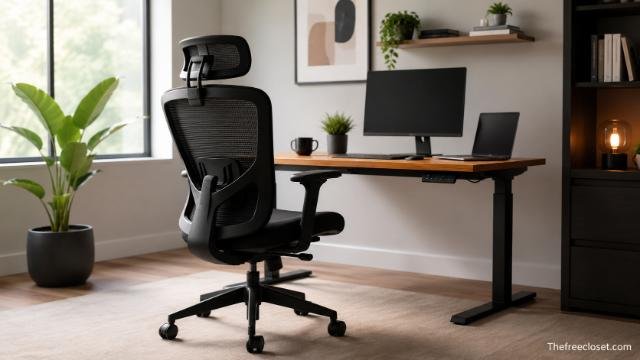
An ergonomic chair is one of the most valuable investments for anyone spending several hours at a desk. Poor seating posture can contribute to back pain, neck stiffness, shoulder discomfort, and fatigue.
Look for adjustable features including:
- Seat height
- Lumbar support
- Armrests
- Reclining backrest
- Seat depth
- Breathable materials
Adjust the chair so your feet rest flat on the floor while your knees remain close to a 90-degree angle. Your elbows should comfortably align with your desk height to reduce strain on your wrists and shoulders.
Good posture improves comfort and helps maintain energy throughout the working day.
Position Your Computer Equipment Correctly
Proper monitor and keyboard placement reduces eye strain and repetitive stress injuries.
Position your monitor so the top of the screen sits approximately at eye level. The screen should be about an arm’s length away from your face. If using multiple monitors, place the primary monitor directly in front of you and the secondary display nearby to minimize neck movement.
Your keyboard and mouse should allow your wrists to remain straight and relaxed. Wrist rests may provide additional comfort during extended typing sessions.
Laptop users benefit from using a laptop stand alongside an external keyboard and mouse to achieve better ergonomics.
Improve Lighting Throughout the Workspace
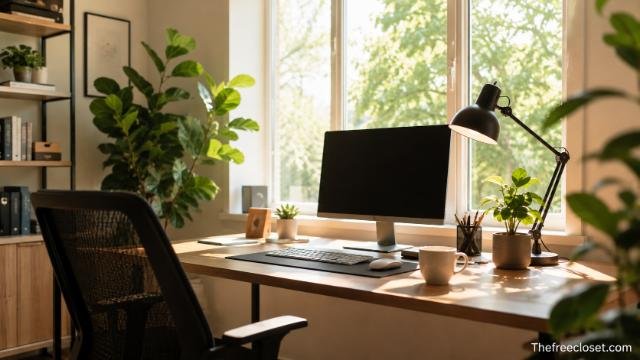
Lighting directly affects productivity, mood, and eye comfort. Natural daylight remains the ideal light source because it supports alertness while reducing eye fatigue.
Position your desk near a window whenever possible, but avoid placing the monitor directly in front of or behind the window to minimize glare.
Layer different lighting sources for consistent visibility:
- Natural daylight
- Adjustable desk lamp
- Ceiling lighting
- Ambient room lighting
Choose bulbs with neutral white light for a comfortable working environment. Adjustable brightness allows you to adapt the room for different tasks throughout the day.
Build a Reliable Technology Setup
Technology forms the backbone of every productive home office. Reliable equipment minimizes interruptions and supports efficient workflows.
Essential equipment typically includes:
- Computer or laptop
- External monitor
- High-speed internet connection
- Wi-Fi router
- Keyboard
- Mouse
- Webcam
- Noise-cancelling headset
- Printer (if required)
- External storage device
Professionals who regularly participate in virtual meetings should prioritize a quality webcam and microphone to improve communication and presentation quality.
Keep software updated to maintain security, compatibility, and performance.
Organize Storage for Daily Efficiency
Organization saves time by ensuring important documents and supplies remain easy to locate.
Include storage solutions such as:
- Filing cabinets
- Floating shelves
- Drawer organizers
- Storage boxes
- Document trays
- Cable organizers
Assign specific locations for office supplies, chargers, notebooks, and paperwork. A consistent organizational system reduces clutter and helps maintain focus.
Digital organization deserves equal attention. Create clearly labelled folders for projects, invoices, presentations, and backups to streamline file management.
Create a Comfortable Working Environment
Comfort extends beyond furniture. Temperature, air quality, noise levels, and personal touches all influence your ability to focus.
Maintain adequate ventilation and a comfortable room temperature. A small fan or portable heater can help regulate seasonal changes.
Adding indoor plants can make the workspace more inviting while contributing to a pleasant atmosphere. Personal artwork, books, or decorative accessories can also create a motivating environment without causing distraction.
Keep refreshments nearby to reduce unnecessary interruptions during focused work sessions.
Manage Cables and Electrical Equipment Safely
A tangled collection of cables creates visual clutter and presents safety hazards.
Use cable sleeves, clips, trays, or under-desk management systems to keep power cords organized. Label cables where multiple devices connect to simplify future maintenance.
Avoid overloading extension leads. Consider using surge-protected power strips to safeguard valuable electronics against electrical fluctuations.
Planning cable routes during setup results in a cleaner, more professional workspace.
Reduce Noise and Minimize Distractions
Distractions significantly reduce productivity, particularly during tasks requiring concentration.
If outside noise is unavoidable, consider:
- Noise-cancelling headphones
- Acoustic panels
- Thick curtains
- Rugs
- Door seals
- White noise machines
Establish clear working hours with family members or housemates whenever possible. Visible indicators during meetings can also reduce interruptions.
Maintaining a consistent routine reinforces focus and helps separate work life from personal time.
Strengthen Internet Reliability and Security
Stable internet access is essential for video conferencing, cloud collaboration, and online communication.
Whenever possible:
- Use fibre broadband.
- Position your router centrally.
- Connect via Ethernet for maximum stability.
- Secure your Wi-Fi with strong passwords.
- Enable automatic router updates.
- Use a virtual private network when handling sensitive information.
Regular backups protect valuable work against unexpected hardware failures or cyber incidents.
Personalize Your Workspace Without Creating Clutter
Personalization makes your office enjoyable while reinforcing motivation.
Consider adding:
- Framed photographs
- Motivational artwork
- Small plants
- Books
- Desk organisers
- Minimal decorative accessories
Aim for balance. Too many decorative items can reduce usable workspace and increase visual distraction.
A clean desk often encourages clearer thinking and greater efficiency.
Maintain Your Home Office Regularly
Creating the office is only the beginning. Ongoing maintenance ensures the space continues supporting productivity.
Weekly maintenance should include:
- Dusting equipment
- Cleaning monitors
- Organizing paperwork
- Backing up important files
- Updating software
- Removing unnecessary clutter
Regular reviews also provide opportunities to upgrade equipment as your work requirements evolve.
Essential Home Office Equipment Checklist
| Category | Recommended Items |
| Furniture | Desk, ergonomic chair, shelving |
| Computer Equipment | Desktop or laptop, monitor, keyboard, mouse |
| Internet | Router, Ethernet cable, Wi-Fi extender if needed |
| Video Meetings | Webcam, microphone, headset |
| Storage | Filing cabinet, drawers, shelves |
| Lighting | Desk lamp, ceiling light, natural daylight |
| Accessories | Cable management, surge protector, notebook, organisers |
| Comfort | Footrest, monitor stand, indoor plant, water bottle |
Optimise Your Daily Workflow
An efficient workspace supports productive habits. Begin each day by reviewing priorities and preparing the tools required for your tasks. Keep frequently used applications open while closing unnecessary programs that may reduce concentration.
Schedule regular breaks to stretch, walk, and rest your eyes. Short movement breaks improve circulation, reduce fatigue, and often increase creativity. Maintaining consistent working hours also helps establish a healthy separation between professional and personal life.
As your workload changes, periodically evaluate your workspace. Small improvements, such as upgrading a monitor, adding storage, or improving lighting, can have a significant impact on long-term productivity.
Conclusion
Setting up a home office involves much more than placing a desk in an empty room. The right location, ergonomic furniture, dependable technology, effective lighting, organized storage, and thoughtful personalization all contribute to a workspace that supports productivity and wellbeing.
By carefully planning every element of your office, you create an environment that encourages focus, improves comfort, and adapts to changing professional needs. Whether you are working remotely, running a business, or studying from home, investing time in building an efficient workspace delivers lasting benefits for both performance and work-life balance.
Discover the latest fashion trends, home ideas, travel tips, and lifestyle inspiration at thefreecloset.com.
FAQ’s
A quiet room with minimal distractions, natural light, reliable internet access, and enough space for furniture is generally the best choice. If a separate room is unavailable, a dedicated corner can still work effectively.
Even a small area of approximately 1.5 to 2 square metres can accommodate a compact desk, ergonomic chair, and essential equipment. Larger spaces allow for additional storage and flexibility.
Yes. An ergonomic chair supports healthy posture, reduces physical strain, and increases comfort during extended periods of sitting, making it one of the most worthwhile investments for a home office.
A standing desk can help reduce the amount of time spent sitting and encourage regular movement. Many people benefit from alternating between sitting and standing throughout the day.
Create a dedicated workspace, maintain consistent working hours, minimise distractions, organise your desk, use reliable technology, and take regular breaks to stay focused and productive.
Most professionals benefit from a reliable computer, ergonomic chair, spacious desk, external monitor, keyboard, mouse, high-speed internet connection, webcam, quality headset, good lighting, and organised storage solutions.