


Introduction
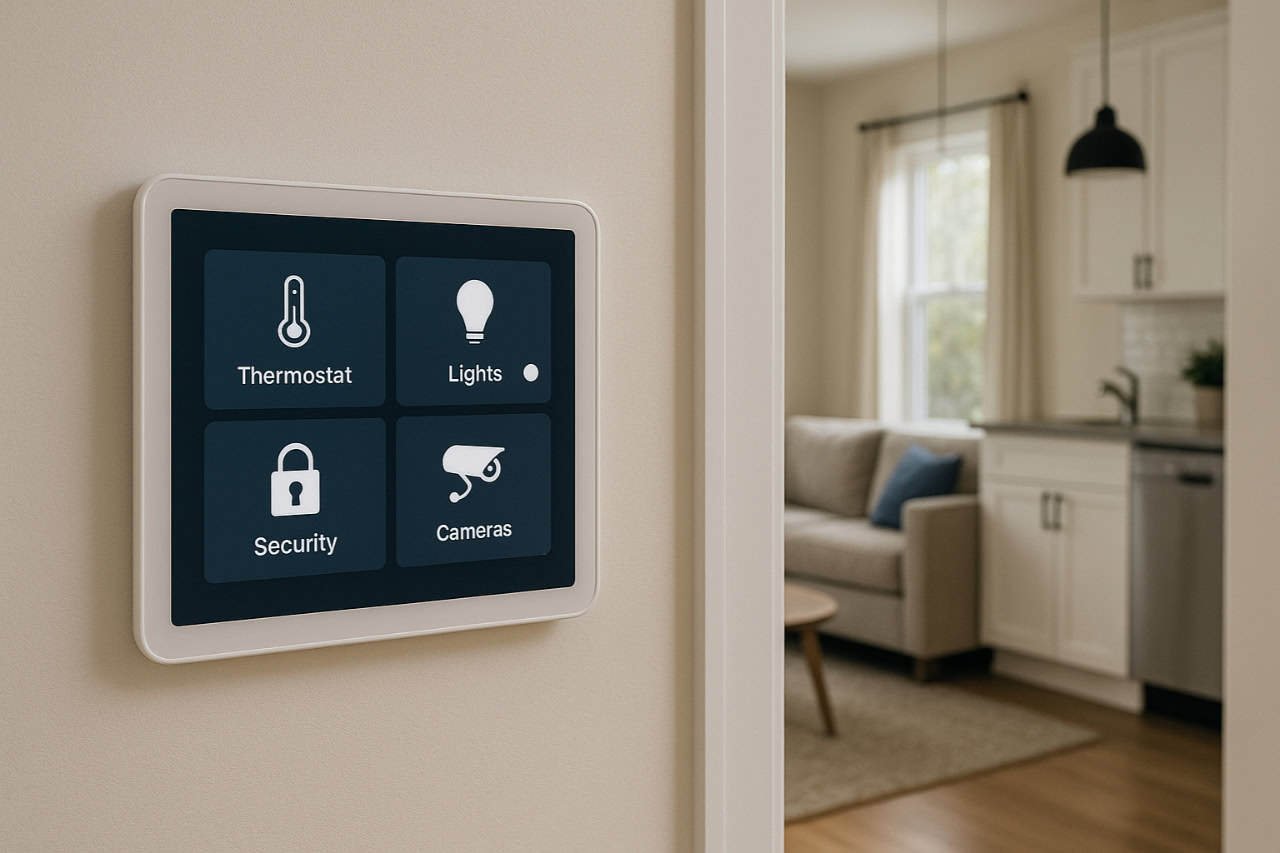
A smart home manager acts as the brain of your connected home an integrated system combining hardware and software to control, automate, and monitor all your smart devices from one place. Instead of juggling multiple apps for lighting, cameras, thermostats, and security a home manager centralizes everything into one dashboard. It’s not just about convenience it’s about interoperability, security, and future-proofing your home.
In 2025, the convergence of standards like Matter, improvements in edge computing, and new AI-driven automation engines have transformed the smart home manager from a niche hobbyist tool into a mainstream home infrastructure component. This guide explains how these systems work, how to choose and set up the right one, and how to secure and optimize it for privacy and performance.
What is a Smart Home Manager and Why It Is Needed
A smart home manager is a central orchestration platform a hub, gateway, or software layer that connects every IoT device in your home, regardless of brand or protocol. It translates between technologies (like Zigbee, Wi-Fi, or Z-Wave), automates interactions, and provides a unified interface for monitoring and control.
Without a central manager, homes become “app jungles.” Each device comes with its own cloud service, creating fragmented user experiences and inconsistent automation. The smart home manager eliminates this fragmentation, offering a single automation engine to create rules, scenes, and flows across brands turning isolated devices into a cohesive, intelligent ecosystem.
Beyond convenience, it’s essential for privacy and security. Local control means sensitive data (like camera feeds or occupancy schedules) doesn’t have to leave your home. It also enables offline functionality during internet outages and reduces reliance on cloud services that may change or shut down.
How Does a Smart Home Manager Differ from a Single-Brand App
A single-brand app (like Philips Hue or Ecobee) controls only its own ecosystem. A smart home manager, by contrast, connects dozens of ecosystems into one. It acts as a translator, using protocol adapters and APIs to communicate across platforms.
| Feature | Single Brand App | Smart Home Manager |
| Device Scope | Limited to brand ecosystem | Cross-brand, cross-protocol |
| Automation Level | Basic, app-based | Advanced, multi-device |
| Data Control | Cloud-dependent | Local or hybrid |
| Scalability | Fixed | Extensible via integrations |
| Security Options | Minimal | Role-based, customizable |
This difference is fundamental: a single app manages devices, while a smart home manager manages the system of systems.
What Are the Key Modules Inside a Smart Home Manager
A complete smart home manager consists of several architectural modules:
- Hub or Gateway – Hardware that communicates with low-power devices via Zigbee, Z-Wave, or Thread.
- Control Software / App – The visual interface or dashboard used to configure, automate, and monitor.
- Integration Layer – Connectors and APIs to link devices and services.
- Automation Engine – The “brain” that executes rules, schedules, and AI-based logic.
- User Access Control System – Manages roles and permissions for family members or guests.
- Analytics & Monitoring Dashboard – Provides insights on energy, device status, and performance.
In advanced setups, these modules are distributed some running locally, others in the cloud to balance privacy, scalability, and responsiveness.
How a Smart Home Manager Integrates Devices and Protocols
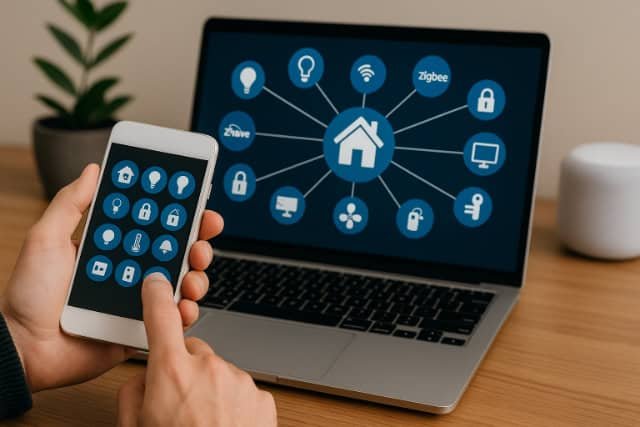
Integration is the defining challenge of home automation. A smart home manager functions as a universal translator, supporting multiple communication standards and vendor APIs to ensure interoperability.
Integration happens at several layers:
- Physical layer (wired, wireless, radio).
- Protocol layer (Zigbee, Z-Wave, Wi-Fi, Thread, Bluetooth).
- Application layer (Matter, MQTT, REST, WebSocket APIs).
- Semantic layer (interpreting commands like “turn off lights in living room” across brands).
This layered approach ensures flexibility and future-proofing so when new standards like Matter emerge, they can coexist with legacy devices.
Can It Work Across Zigbee, Z-Wave, Wi-Fi, Thread, and Matter?
Yes. The most powerful smart home managers act as multi-protocol aggregators.
- Zigbee and Z-Wave remain dominant for sensors and switches.
- Wi-Fi connects cameras and streaming devices.
- Thread provides mesh reliability for low-power nodes.
- Matter offers a unified language that simplifies onboarding and control.
Modern managers like Home Assistant or Homey Pro support all of these either natively or via USB radio dongles.
Multi-radio hubs ensure broad compatibility and allow for hybrid topologies for example, combining local Zigbee control with remote Wi-Fi management.
What Is the Role of APIs and Bridges in Interoperability
APIs and bridges extend compatibility beyond radio standards. They enable software-based integrations for instance, connecting a Tesla charger, a Nest thermostat, and a Sonos speaker through their respective APIs.
Bridge adapters (like MQTT brokers or Node-RED) handle translation and synchronization between devices that would otherwise never communicate. They also support semantic orchestration, where the manager doesn’t just relay signals but understands intent (e.g., “turn on evening scene” triggers lights, music, and blinds).
This is where frameworks like Home Assistant’s Automations, Control4 Composer, or Homey Flow Builder shine building logic flows visually.
Which Are the Most Popular Smart Home Manager Platforms
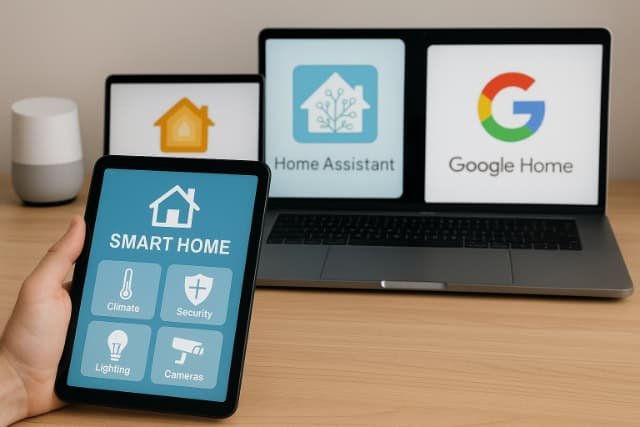
Today’s market is divided between open-source platforms, consumer-friendly ecosystems, and professional automation suites.
| Platform | Type | Best For | Architecture |
| Home Assistant | Open-source | Power users, local control | Local-first |
| SmartThings | Consumer | Samsung ecosystem | Cloud + local hybrid |
| Homey | Hybrid | Easy setup, wide protocol support | Multi-radio |
| Control4 | Professional | Luxury, integrator-based | Closed, high-end |
| Google Home / Alexa | Cloud | Mainstream users | Cloud-first |
| Hubitat Elevation | Local | Privacy-focused | Local-only |
What Is Home Assistant and What Makes It Unique
Home Assistant stands out as the most flexible and privacy-centric smart home manager. It’s open source, runs locally on devices like a Raspberry Pi, and supports thousands of integrations via community modules.
Its automation blueprint system allows users to create reusable logic patterns, while its energy dashboard integrates solar, EV, and smart meter data. Combined with add-ons like Node-RED, ESPHome, and HomeKit Bridge, it can control nearly any device or service.
Home Assistant also supports edge AI modules, enabling presence detection, image recognition, and predictive automations all processed locally.
What Do Commercial or High-End Solutions Like Control4 or Homey Offer
Control4 and Homey Pro represent turnkey, high-reliability systems. Control4 integrates tightly with audiovisual equipment and is often installed by certified integrators. It includes scene orchestration, access control, and diagnostics monitoring ideal for large homes or multi-zone setups.
Homey Pro, meanwhile, offers consumer accessibility with multi-protocol radios (Zigbee, Z-Wave, Matter, BLE, Infrared) and a polished mobile interface. It supports cloud backups, remote access, and Homey Flow, a graphical automation engine ideal for non-technical users.
How to Choose the Right Smart Home Manager for Your Home
Choosing the right smart home manager depends on your devices, budget, and privacy priorities. Start by listing the devices you already own and their communication protocols like Wi-Fi, Zigbee, or Z-Wave. Make sure the platform you choose supports these standards to avoid compatibility issues later.
Next, decide between a local-first system (like Home Assistant or Hubitat) or a cloud-based one (like SmartThings or Google Home). Local systems keep your data private and work offline, while cloud systems are easier to set up and access remotely.
Consider the scalability of the platform whether it can handle dozens or even hundreds of devices as your home grows. Also, evaluate the automation complexity you need. Some platforms offer simple rule-based triggers, while others support advanced AI or data-driven automation.
What Criteria Matter (Scalability, Privacy, Local vs Cloud, Automation Complexity)
- Scalability: How many devices and automations can the platform handle before slowing down?
- Privacy & Data Flow: Does it send usage data to the cloud? Does it allow data minimization policies (as seen in projects like PFirewall)?
- Automation Complexity: Does it support conditional logic, machine learning, or only basic schedules?
- Local vs Cloud: Local control is faster and more private; cloud adds remote flexibility.
- Community & Support: Open ecosystems thrive with integrations and updates.
When in doubt, choose a manager that supports hybrid control local processing with optional cloud sync.
How to Plan Device Roster, Future Expansion, and Hardware Compatibility
Mapping your device roster before setup avoids headaches later. Document:
- Device type and brand
- Protocol used (Zigbee, Wi-Fi, etc.)
- Integration support (native, API, bridge)
- Power requirements and placement
This inventory acts as your automation blueprint, ensuring all devices connect smoothly. Plan for future expansion, such as adding energy meters, voice assistants, or EV chargers. Opt for a hub that supports multiple radios or USB adapters to prevent lock-in.
How to Set Up a Smart Home Manager Step-by-Step
- Prepare the Hub and Network
Start by choosing where your smart home manager will run. This could be a dedicated hub (like Homey Pro), a mini-PC or Raspberry Pi running Home Assistant, or a controller from a professional system like Control4. Connect it via Ethernet to your main router for maximum reliability and ensure your home Wi-Fi has strong coverage in every room. - Install and Configure the Software
Once your hub is online, access its setup interface from a browser or mobile app. Follow the initial configuration wizard to set your location, time zone, and update the software. For open-source systems, you may need to flash an image or use Docker. After installation, create an admin account and enable secure login. - Add Radios and Integrations
If you’re using devices that rely on Zigbee, Z-Wave, or Thread, plug in compatible USB radio sticks or built-in modules. Then install integrations or add-ons for cloud-based products like Google Home, Philips Hue, or Tesla Energy. These integrations allow your hub to “speak” to all connected devices across different brands and protocols. - Pair and Organize Devices
Put each smart device into pairing mode and let the manager discover it automatically. Assign clear names and group them by room living room lights, kitchen sensors, garage door, etc. This organization makes it easier to create automations and voice commands later. - Build Automations and Scenes
Use the automation or flow builder in your platform to create routines. For example: “If motion is detected after 10 PM, turn on hallway lights.” You can also design scenes that control multiple devices at once, like “Movie Mode” or “Good Morning.” Test each rule to ensure timing and triggers work correctly.
What Hardware Is Required (Hub, Controller, Network)
Typical setups include:
- A hub or gateway device (like Home Assistant Yellow or Homey Pro).
- A stable local network (wired Ethernet preferred).
- Optional USB radios for Zigbee/Z-Wave/Thread.
- Backup power or UPS for resilience.
Ensure your router supports sufficient DHCP reservations and local DNS resolution to maintain connectivity even during outages.
How to Import / Onboard Devices and Build Automations
Most managers follow a pairing or discovery process pressing a button on each device to link it. Once onboarded, devices appear in the dashboard, ready for grouping or automation.
You can then create automations like:
- “If motion detected after 10 PM → turn on hallway light.”
- “When energy price > $0.25 /kWh → delay EV charging.”
Many platforms include visual flow builders (e.g., Homey Flow, Node-RED, or Control4 Composer) so users can design complex logic without coding.
How to Optimize Security, Privacy & Access Control in a Smart Home Manager
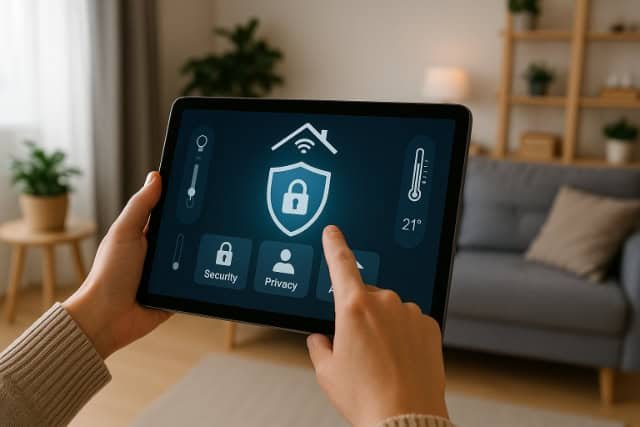
Optimizing security and privacy in a smart home manager starts with local-first configuration. Whenever possible, process automations and data locally instead of relying on the cloud. This reduces exposure to external servers and keeps sensitive data like camera feeds and occupancy patterns within your home network.
Next, segment your network. Place IoT devices on a dedicated VLAN or guest network so they can’t access personal devices like laptops or phones. Enable firewalls and use strong WPA3 encryption for Wi-Fi. Keep firmware and integrations updated automatically to patch vulnerabilities before they’re exploited.
Enable role-based access control (RBAC) in your home manager. Assign limited permissions to each household member for example, guests can control lights but not view cameras. Platforms like Home Assistant and Control4 allow user-level restrictions and multi-factor authentication for added protection.
What Are Common Vulnerabilities and How to Mitigate Them
- Default Credentials → Always change device passwords.
- Cloud Reliance → Favor local processing; disable unnecessary cloud sync.
- Unpatched Firmware → Schedule updates or use systems with automatic OTA updates.
- Weak Wi-Fi Segmentation → Isolate IoT devices on a VLAN.
- API Overexposure → Use tokens or OAuth-based access, not plain keys.
For high-security environments, implement network firewalls, encrypted MQTT brokers, and two-factor authentication for dashboards.
How to Manage Users, Roles, and Multi-User Access
Assign roles:
- Admin: Full control and automation editing.
- User: Device interaction only.
- Guest: Temporary or restricted access.
Systems like Home Assistant and Control4 let you define scoped permissions e.g., granting children lighting control but not camera access. In multi-family homes, isolate zones (like apartments or guest suites) for autonomy.
What Are the Pros, Cons and Alternatives for Smart Home Managers
Smart home managers consolidate power but introduce complexity.
| Aspect | Advantages | Disadvantages |
| Control | Unified dashboard | Initial setup complexity |
| Automation | Cross-brand logic | Potential learning curve |
| Privacy | Local control options | Requires maintenance |
| Scalability | Modular and extensible | Hardware limits in low-end hubs |
What Trade-offs Exist Between Local and Cloud Control
Local control offers lower latency and full privacy but requires technical maintenance. Cloud systems like Alexa and SmartThings provide convenience and voice integration but depend on internet availability.
A hybrid setup is ideal critical automations run locally; non-critical or remote tasks use the cloud.
What Are Fallback Strategies & Hybrid Setups
To maintain reliability:
- Use edge aggregators for local automation when offline.
- Implement dual hubs (primary + backup) for redundancy.
- Design graceful degradation: e.g., lights operate manually if automation fails.
This ensures resilience against network or cloud outages crucial in security or energy management systems.
Conclusion
The smart home manager is the cornerstone of a modern connected home. It unifies devices, automates complex behaviors, safeguards privacy, and enables energy efficiency. As Matter and edge AI evolve, managers will become even more autonomous acting not just as controllers but as digital twins of our living spaces.
Whether you choose Home Assistant for local sovereignty, Homey Pro for ease, or Control4 for luxury integration, the principle remains: a smart home is only as intelligent as its manager.
FAQ’s
It centralizes control, automation, and monitoring of all connected home devices providing one dashboard for lighting, HVAC, security, and energy systems.
Yes. Platforms like Home Assistant and Hubitat run locally, ensuring privacy and functionality even when internet access is lost.
Most handle 100–300 devices comfortably; performance depends on hardware, network, and automation load.
Centralization enhances security if configured correctly, as it allows unified access control, encryption, and logging. However, poor setup can create single-point vulnerabilities.
An ecosystem (e.g., SmartThings) is brand-specific; a manager (e.g., Home Assistant) integrates multiple ecosystems through protocols and APIs.
Start by integrating one system at a time, disable overlapping automations, and ensure backup configurations during migration.
Yes many managers integrate with smart meters, EV chargers, and solar systems for full energy optimization.
Expect tighter Matter integration, edge AI automation, enhanced privacy frameworks, and home digital twins representing physical states in real time.
